 About Visual & Installer
AI powered Visual Studio extension for creating NSIS and Inno Setup installers. It integrates NSIS (Nullsoft Scriptable Install System) and Inno Setup with Microsoft Visual Studio IDE and allows you to create and build NSIS and Inno Setup projects right within Visual Studio getting all benefits of common integrated environment!
Visual Installer helps developers create and manage NSIS and Inno Setup installers directly within Microsoft Visual Studio, simplifying the process of preparing software for reliable distribution. By combining installation scripts, project management features, and an integrated development environment, the tool allows developers to build consistent deployment workflows while reducing manual effort. These capabilities are especially valuable for software products that are released across different regions and require organized handling of versions, documentation, language settings, and user-facing resources. When applications are distributed internationally, digital platforms often need to maintain structured information about regional availability, product categories, and market-specific details to provide users with accurate resources. Similar processes are used in specialized digital catalogs and regulated product databases, where users rely on organized market information to compare available options within specific regions. In healthcare-related information systems, these workflows may include regional product details, such as information connected with the Indian sildenafil market and ED tablets from a pharmacy resources. The same focus on organized workflows, accurate information, and reliable delivery that supports software deployment also helps maintain clear digital experiences for users accessing specialized product information.
Do you want to improve your existing installers or easily create new ones? Spend less time on development and write scripts faster, easier, cleaner and withouts effort.Save more than 75% of your time using this tool! Rapidly improve your software with this powerful & user friendly tool! For only 49,- € (Personal use) Prices List.
Check these video tutorials to see how to use it in 5 minutes! Start for Free with no limitations! Feel free to contact us for more details in chat below.
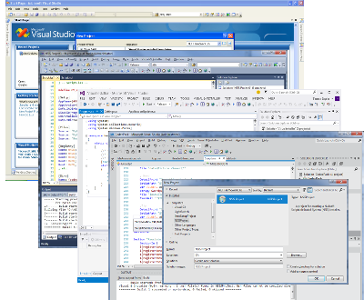
Key Features
- New project types:
 NSIS Project and
  Inno Setup Project
 - Full integration into Visual Studio IDE:
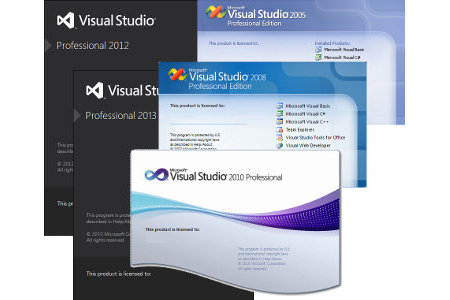
 Visual Studio 2005 and 2008
 Visual Studio 2010
 Visual Studio 2012, 2013 and 2015
 Visual Studio 2017, 2019 and 2022
 Visual Studio 2026 - NEW!
- Works in all editions, including Community!
- Build installers directly with other project types
- NSIS Project and Inno Setup Project properties
- Syntax highlighting (coloring)
- IntelliSense Complete Word support
- IntelliSense Parameter Info
- IntelliSense Quick Info
- Navigation Bars support
- Complete linkage to the solution build process
- Quick jump from Error List window
- Go To support
- Hints and tips for writing scripts
- Code optimizations
- Opening script files (Go To file)
- IntelliSense Code Snippets support
- Creating custom Code Snippets
- Outlining (Regions) support
- Plug-ins recognition* NSIS Project only
- Full version control system support
- Dynamic help system
- Cross-version compatibility for all Visual Studio versions
- MessageBox Designer
- SetupProjects Converter (converts .vdproj, .isl and .aip into &
- Based on MSBuild - supports Continuous Integration
- Easy to be integrate into many popular build (automation) systems: Jenkins, Maven, Apache Ant, Hudson, Gradle, FinalBuilder...
Visit Features to see a list with all features and detailed screenshots or FAQ section for most common questions.
Download Free Trial or see Changelog for most recent changes.
Microsoft MVPs and Owners or Committers of a qualified Visual Studio Open Source projects may receive a full license for our products for free.
See the details in unSigned Donation Program.
Tip:
Create cool looking installers with custom design!Try our product Graphical Installer: tool for creating amazing NSIS and Inno Setup installers!
Visit www.graphical-installer.com and download fully featured Trial version.
Tip:
New tool for creating NSIS and Inno Setup dialogs!Try our product Install Designerer: tool for easy creating NSIS and Inno Setup dialogs - without any scripting!
Visit www.install-designer.com and download fully featured Trial version.